
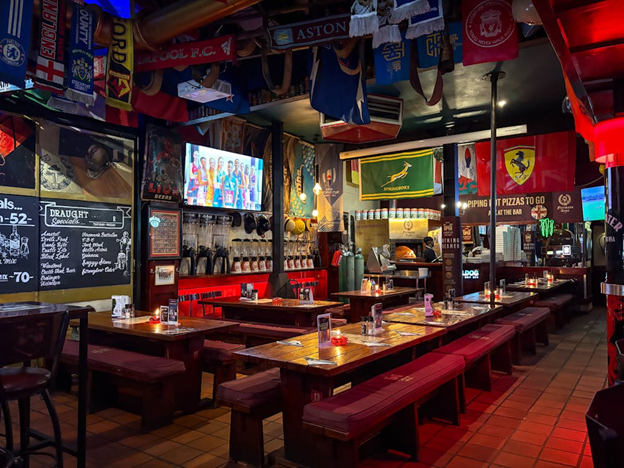
According to YouGov Sport, a majority of American sports fans watch games from home. And for good reason: watching games remotely can be just as exciting as watching them in person—at least if you have a good setup.
But what makes for a good sports viewing setup? What do you need? Here is a quick guide on what you need to have the ideal setup for watching live sports games.
A Large, High-Quality Display
The display is the centerpiece of any setup and needs to be large enough for everyone to get a good view of the action. The exact ideal size will, of course, depend on the size of the room or venue and the number of people that typically watch. For most living rooms, however, a TV of around 55 inches is a good starting point.
Make sure that the display has good resolution (most TVs of that size will have 4K resolution). Look for a display with good motion handling. While a TV with a 120 Hz refresh rate can help with motion blur, most broadcasts are at 60 fps, so a feature like motion interpolation matters more for reducing blur than refresh rate.
Ideally, pick one with an OLED or QLED panel type so colors remain vivid, but consider your room conditions before choosing one. For instance, a QLED display has a narrower viewing angle, but looks better in a bright room.
Since the display is the core of the viewing experience, buying the best one possible is a worthwhile investment. The largest chunk of your budget should definitely go to the display.
Soft Lighting
Aside from the display itself, good lighting is also important for a comfortable viewing experience.
Light sources that are too strong or too direct can cause glare on the screen and be distracting. Meanwhile, a completely dark room can lead to eye strain during longer games.
In most cases, you’ll want soft, indirect lighting. For example, you can place floor lamps, wall sconces, or LED bias lighting behind the TV to provide soft ambient illumination.
Having an adjustable lighting system is also a big plus, so you can control the brightness depending on the time of day. Window coverings, such as blackout curtains during daytime games, are another way you can control lighting.
Crisp Audio
After visuals, a high-quality sound setup is the next most important thing. After all, people definitely want to hear rowdy noises, commentary, and on-field sounds as loudly and clearly as possible.
TV speakers can be somewhat decent, but for the best, most immersive experience, it’s better to get a dedicated sound setup.
There are many options depending on your venue, from soundbars to powered speakers to full surround sound systems.
If you’re just at home, a good soundbar with a dedicated subwoofer is more than enough. If, say, you run a sports bar or want the most immersive setup possible, consider a 5.1 surround sound system, which places ambient noise around the viewer. This best recreates the feeling of being in the game in person.
All these are very significant, worthwhile upgrades to built-in TV speakers.
Stable, High-Speed Internet
If you’re one of the 70% of sports fans who use streaming services to watch games, then you’ll need a fast, stable internet connection. Because who wants their games routinely interrupted by loading times and buffering?
For live streams in 4K quality, you’ll need a connection with at least 25 Mbps. That’s per stream. Although not all live event coverage offers true 4K, it’s better to aim for a stable connection to avoid buffering or broadcast delays.
Ideally, you should be using a wired internet connection as well. There is always the chance of hiccups if you’re connected via Wi-Fi, no matter the speed.
If you’re outside the US or Europe and are facing georestrictions for the games you want to stream, you might need a VPN. Here’s a guide on how to use a VPN on Apple TV or other streaming devices.
Comfortable Seating and Cable Organization
Next, consider the seating arrangement. This, of course, will be highly dependent on your room or venue. Make sure that everyone has a comfortable seat and has a good view of the display.
You might also notice that you’ll be dealing with a lot of cables after buying your new display or sound setup. Take the time to organize these cables and keep them away from where people typically sit or move around. Not only can they be a distracting eyesore, but people might trip over them as well.
Conclusion
With the right combination of a good display, a crisp audio setup, seating, lighting, and connectivity, you, your friends, or your customers can enjoy the thrill and hype of a game—all from the comfort of home or your bar.